
How to Create You Pick eBay Listings for Trading Cards

Have cards from the same set that buyers may want individually? A You-Pick listing lets set builders choose the exact cards they need from one listing. Use singles when a card benefits from its own searchable title, or a bulk lot when the whole group should sell together.
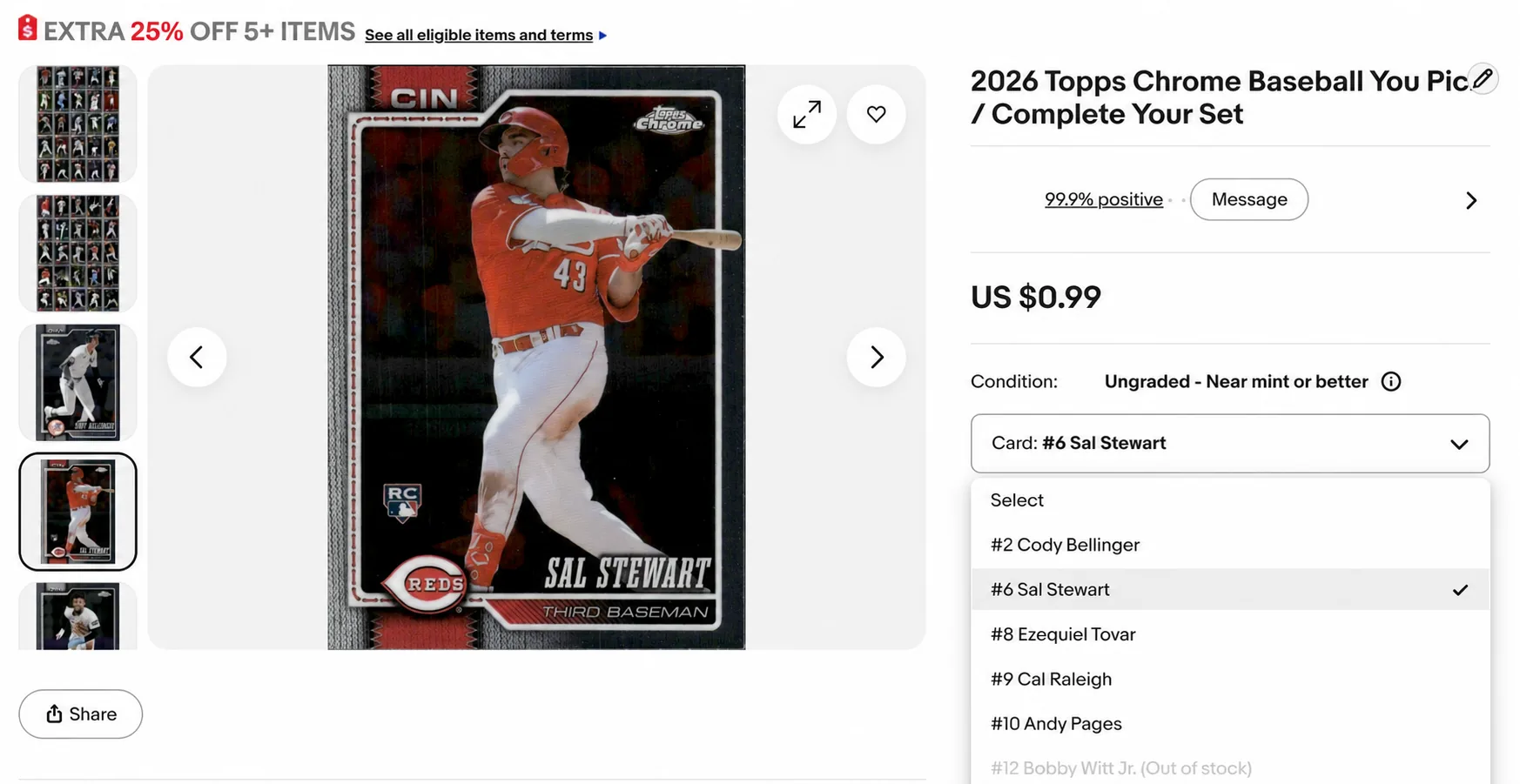
A You-Pick listing is one eBay listing that holds many cards; the buyer opens a dropdown, picks the exact card they want, and pays that card’s price. Done properly, it’s eBay’s multi-variation listing feature applied to cards: each card is a “variation” with its own price, quantity, and photo. One listing, one URL accumulating sales history, and a dropdown that can hold up to 250 cards.
This guide covers what the format is, what eBay actually allows, and how to run one, including inside MyCardFlow’s You-Pick listing software, where the identification, per-card photos, and sold-count bookkeeping are handled for you.
You-Pick listings work best when the per-card economics are tight. Use the eBay card fee calculator to see what a single card would net after fees, then decide whether it belongs in a You-Pick listing instead.
Why sellers love the format
- One listing, many cards. Listing 200 commons individually costs 200 listings’ worth of time; a variation listing holds them all. One buyer can select multiple cards and checkout once.
- A shared listing history. Sales and buyer activity accumulate on one listing. This can help shoppers assess it, but does not guarantee a search-ranking improvement.
- A shared preparation workflow. A focused group can reduce repeated listing setup, although each card still needs accurate details, photos, pricing and fulfillment.
- Buyers browse. The dropdown invites collectors to find their favorite teams, players, or cards missing from their set. And multi-card orders are where this format shines.
The honest trade-offs
- One title covers every choice. Keep cards as singles when their individual search demand or condition merits a dedicated listing. There is no universal price cutoff.
- Variations sell down unevenly. Some cards go in a day, some sit for months. You’ll be repricing and refreshing (see Step 4 below).
- 250 variations is eBay’s cap. Plan multiple listings by set count, above 250 cards you’ll need a second listing.
One card gets its own title, photos and price. Useful when buyers search for that specific card.
The buyer purchases every included card together for one total price.
The buyer selects individual choices, each with its own price and available quantity.
How to build one
Step 1: Identify your cards once
Every card in a You-Pick needs a name the buyer recognizes, which means full identification: year, set, player, card number, parallel. By hand that’s the whole job; it’s why most You-Pick listings are a blurry group photo and a prayer.
Step 2: Price each variation (don’t get cherry-picked)
The classic mistake is flat pricing: “any card $2.” The buyer who knows the checklist empties your $8 cards at $2 and leaves the rest. Two rules:
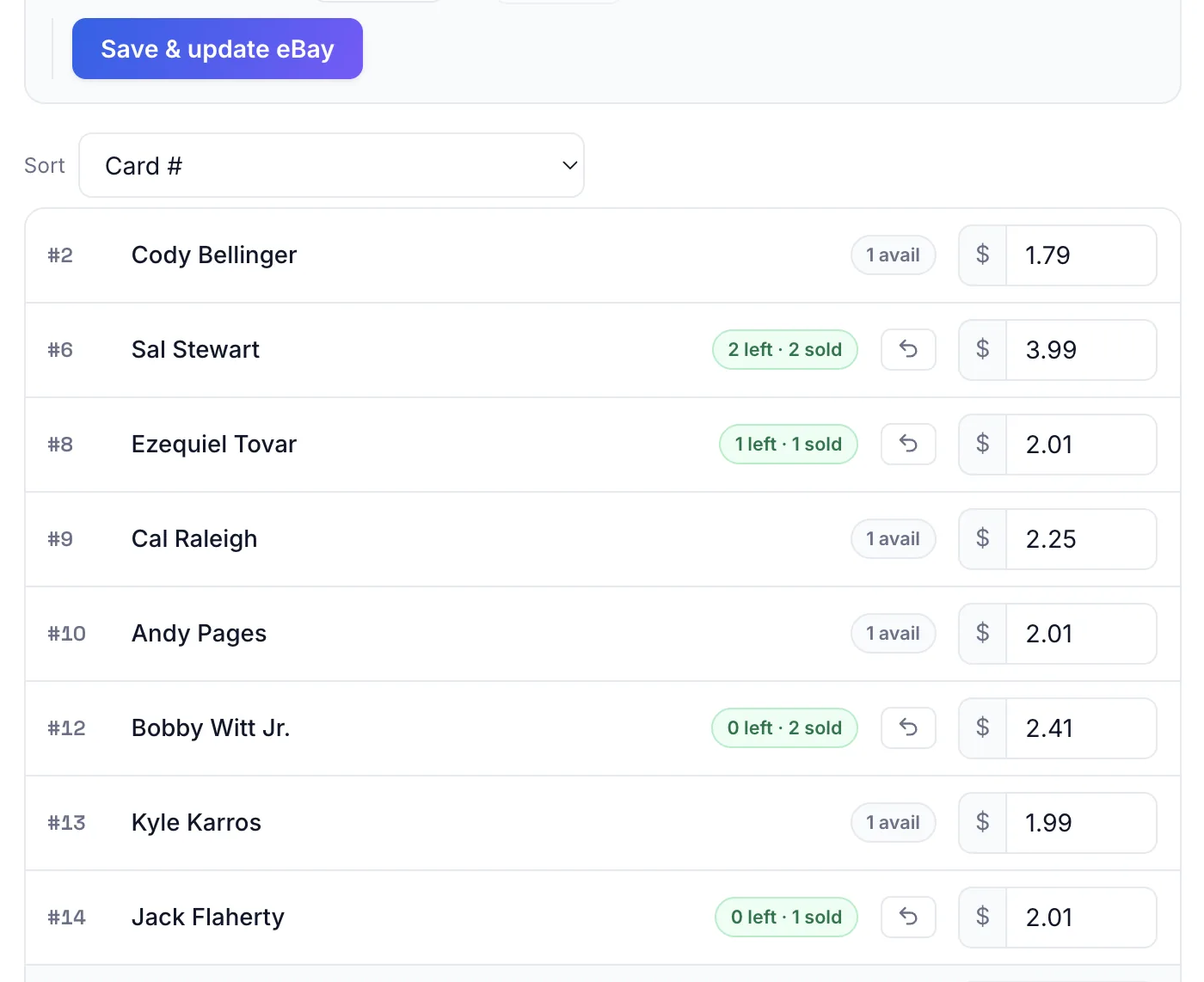
- Price each variation individually from sold comps, the same median-of-recent-sales method as pricing singles.
- Round to simple numbers. $1.50 / $2 / $3 / $4 tiers keep the dropdown scannable and the multi-card math easy for buyers.
Optional but effective: a gentle quantity discount (“buy 5+, get 20% off”) drives the multi-card orders this format exists for. Native support for this requires an eBay store – but if you’re listing bulk lots, you likely already have one.
Step 3: Publish one listing
By hand, publishing a 100-variation listing means 100 photo uploads and an hour in eBay’s variation editor.
If you are building lots instead of dropdown listings, the same visual principle applies: use clean bulk lot images, showcase grids, and binder-style photos so buyers can understand the inventory quickly.
Step 4: Keep the count straight (the part that breaks people)
A variation sells. eBay decrements its quantity. Your spreadsheet doesn’t know. Two more sell while you’re at work. You oversell a card you no longer have, and now you’re messaging apologies instead of shipping.
Sold-count reconciliation is the operational problem of You-Pick listings. If you run one by hand: reconcile the listing against your inventory daily, and end variations the moment a card sells anywhere else.
Open Pick List to review sold You-Pick cards grouped by location. Refresh when needed, verify the physical card against the order and keep different buyers’ cards separated.
Try MyCardFlow’s You-Pick on your commons box, and see the current intro offer on the pricing page.
FAQ
How many cards can one You-Pick listing hold?
eBay caps a listing at 250 variations. Past that, split by team, set, or price band, which also makes each listing’s title more searchable.
Should my best cards go in the You-Pick?
Consider a single listing when the card has strong individual demand or needs detailed condition photos. Use You-Pick when buyers benefit from browsing a coherent set of choices. Decide from demand and costs, not a fixed dollar threshold.
What happens when a variation sells?
eBay reduces the sold choice’s available quantity. In MyCardFlow, refresh the sold quantities and pick list, review sync warnings and reconcile any sales made elsewhere. Check the current order before fulfillment.