
One choice per card
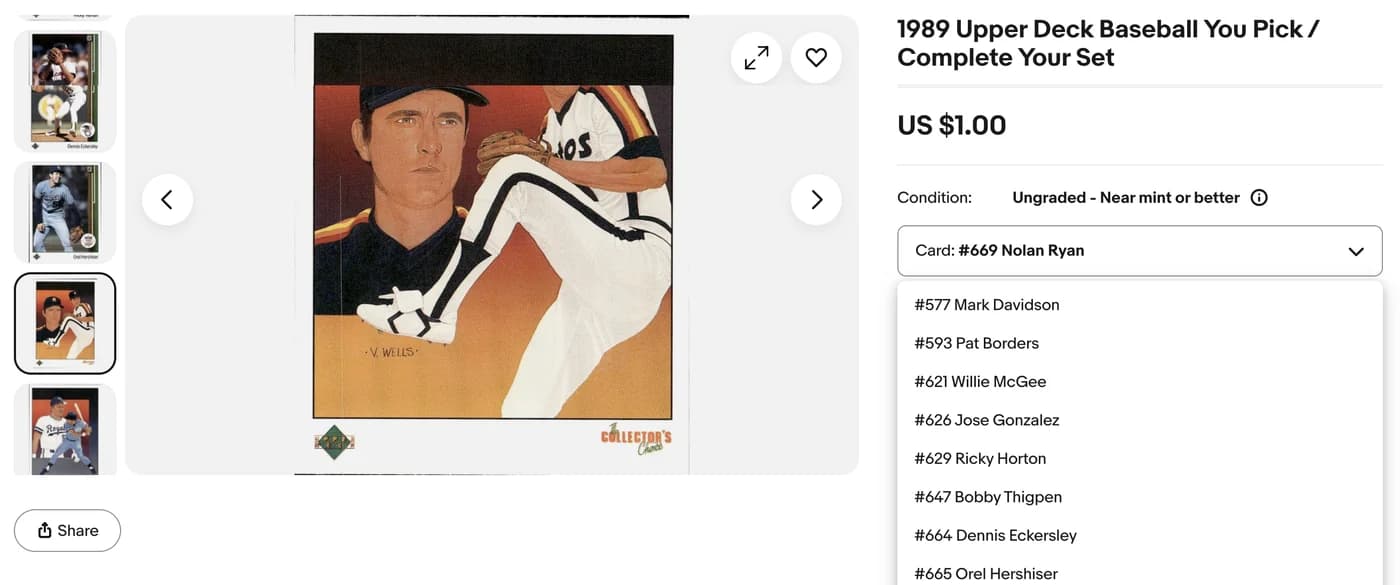
Each choice has its own photo, price and available quantity. Review matching duplicate copies before grouping them as extra quantity.
You-Pick listings
Give set builders a choice of up to 250 cards in one listing. Each card gets its own photo, price, and quantity. Review the choices, publish, and manage your inventory in MyCardFlow.
10 free scans to start. Earn 20 more when you connect eBay and 20 when your first listing goes live. No credit card required.
Create
Choose You-Pick when you start a new listing. Upload a focused group, such as one set or insert run, then review each card’s identity and photos. Buyers select individual cards rather than purchasing the whole group.
Each choice has its own photo, price and available quantity. Review matching duplicate copies before grouping them as extra quantity.
Describe the set or theme in the listing title. Consider Singles when a card needs its own title or detailed condition photos.
Price
Enter each pick’s price after reviewing the exact card, parallel and condition. Use Check sold comps to research comparable sales. Use Apply to all for a shared price, checking whether it fills blanks or replaces existing prices.
Prices can differ within one listing. Choose amounts that fit each card and your costs instead of applying one price to every choice.
Restock
Open My Listings → Manage to add new choices or restock matching copies. Check the identity, price, quantity and storage location of the additions before submitting them. Adding photos alone does not complete a restock.
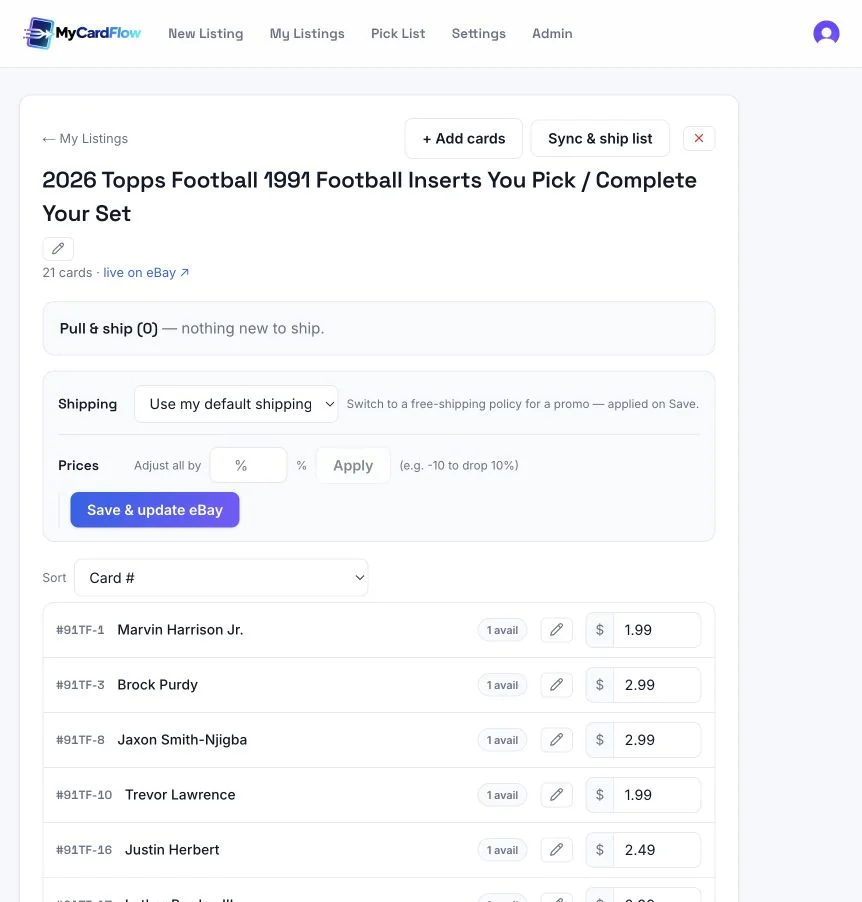
Edit prices or apply a percentage adjustment, then use Save & update eBay. Review the changes before sending them to your listing.
Fulfill
Use Sync & ship list to refresh sold quantities and see the cards to pull by location. Check any sync warning and compare the physical cards with the current eBay orders before packing.
Record a storage reference for each copy so you can find it even when duplicate copies share one buyer-facing choice.
Sync can be delayed or fail. A sale made elsewhere still needs to be reconciled; review the live eBay listing if quantities disagree.
YOUR CARDS. YOUR BUSINESS.
Your own eBay storeConnect through eBay’s official sign-in. We never see your eBay password.
You keep controlEdit the title, details, and price before publishing.
Your sales stay yoursNo MyCardFlow commission. Normal eBay selling fees still apply.
eBay caps a listing at 250 variations. Past that, split by team, set or price band, which also makes each listing's title more searchable.
Choose Singles when a card has strong individual demand or needs its own title and detailed condition photos. Choose You-Pick when buyers benefit from browsing a coherent set of choices. Consider demand, condition, preparation time and selling costs rather than a fixed price cutoff.
eBay reduces the sold choice’s quantity. Use Sync & ship list in MyCardFlow to refresh sold quantities and the cards to pull. Check sync warnings, reconcile sales made elsewhere and verify the current order before packing.
Per-card search is weaker, because one title covers every variation. Variations also sell down unevenly, so some cards go in a day and others sit for months and need repricing. Keep the genuinely searchable cards as individual listings.
Yes. A You-Pick is eBay's multi-variation feature applied to cards, where each card is a variation with its own price, quantity and photo.
KEEP EXPLORING
The full guide, including the honest trade-offs, how to price so you are not cherry-picked, and what running one by hand actually involves.
Read: How to create You-Pick eBay listings ↗YOUR NEXT LISTING STARTS HERE
10 free scans to start. Earn 20 more when you connect eBay and 20 when your first listing goes live. No credit card required.
Plans from $6.99/mo ↗