
How to Sell Sports Cards on eBay: Listing, Fees & Shipping
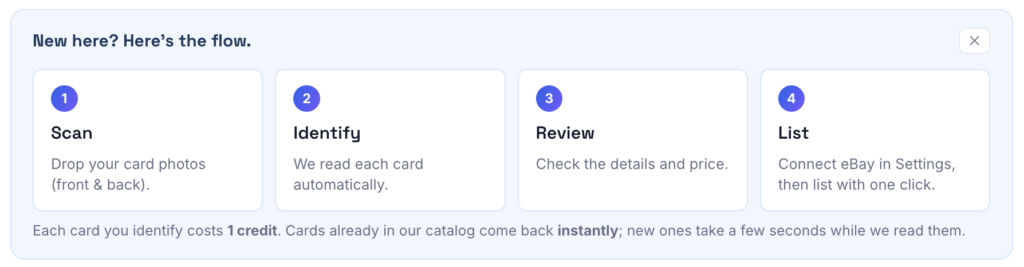
Selling sports cards on eBay starts with identifying your cards, choosing a listing format, checking prices and taking clear photos. This guide walks through creating your listing and choosing shipping, with links to calculate your fees.
Below is each step: what matters, where sellers lose money, and what the step looks like inside MyCardFlow’s sports card listing software, the tool we built that turns the whole workflow into an optimized eBay listing. Follow along with your own stack; you can do every step before connecting anything to eBay.
Choose singles, a bulk lot or a You-Pick listing
Sports card singles give each card its own listing. A bulk lot sells a group of cards together for one price. A You-Pick listing lets buyers choose cards from one listing. Pick the format that fits how buyers will shop your stack; then follow the five steps below.
Worked example: split one stack into three selling formats
Suppose your stack contains one numbered football insert, four related player cards and a run of base cards from one set. These are illustrative inventory groups, not price recommendations.
- Numbered insert → single: give it its own searchable title and front/back photos. Review the player, year, set, card number, parallel and serial stamp. The sports listing walkthrough shows a D’Andre Swift card numbered 67/99, including a year correction before publication.
- Four related player cards → one lot: show all four in the grid, disclose duplicates and condition, and set one total price. The buyer receives all four; there are no individual choices.
- A run of base cards → You-Pick: give each choice a clear card number/name, price and quantity so set builders can select their missing cards. Keep genuinely different parallels or finishes distinguishable, and count duplicate copies accurately.
Batch listing is a separate decision: uploading many singles still creates individual listings. It does not turn those cards into one lot. Put each physical copy in only one live selling workflow.
What you need
- Cards worth listing (see the next section for the bar)
- A scanner is ideal, but we support phone images, and support both mobile and desktop experiences
- An eBay account (you connect it at publish time, not before)
- A MyCardFlow workspace. Identification and pricing work before you publish a listing
One card gets its own title, photos and price. Useful when buyers search for that specific card.
The buyer purchases every included card together for one total price.
The buyer selects individual choices, each with its own price and available quantity.
Before you list: which cards are worth listing?
For inexpensive cards, compare the expected payout with the work involved. eBay fees depend on your category, account and order; shipping and supplies can consume much of a small sale. Choose a format using the actual costs rather than a universal price cutoff:
- Choose singles when the individual card’s demand, condition and expected payout justify a dedicated listing. Compare a curated lot or You-Pick listing for related cards; there is no universal dollar cutoff.
- Related lower-value cards: compare selling as singles, a curated lot or You-Pick choices.
- Shipping: check service eligibility and packed costs before choosing a price, even for a single inexpensive card.
If you sell low-value cards, compare combined orders and available promotional tools. Check your current eBay fees and shipping setup; combining cards can change both order costs and postage.
Want the exact math for your own price? Use the eBay card fee calculator to estimate net payout after eBay fees and postage. Card cost, packing supplies and other business expenses are separate.
Everything below assumes a card that cleared that bar.
Step 1: Identify exactly what you have
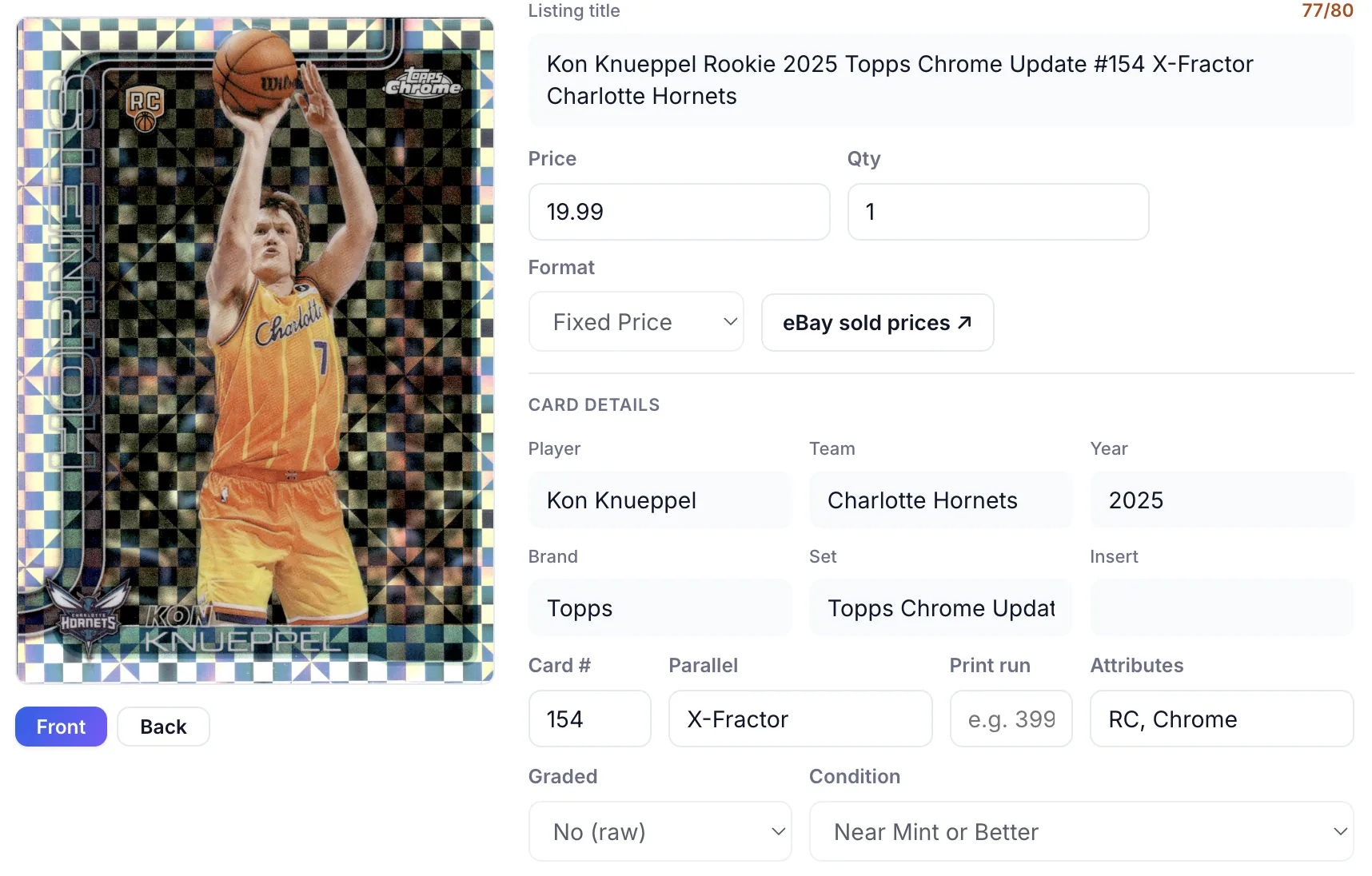
Buyers search for specifics, and eBay’s filters run on specifics. For every card you need: year, brand/set, player, card number, and parallel or variation.
The last one is where listings go wrong. Modern sets ship with a ladder of parallels that look similar but sell for wildly different prices: a base Refractor and a numbered color parallel of the same card can be a 10x price difference. Two tips:
- A serial stamp gives numbering, not a universal parallel name. For 67/99, record the individual number and print run. Color and numbering conventions vary by release; verify the parallel against that exact set.
- Use the card number with the year, set and finish. Base cards and parallels can share a number. Compare both sides and an appropriate checklist when details remain uncertain.
Getting this wrong in either direction costs you: under-describe a scarce parallel and you leave money on the table; over-describe a base card and you eat a return.
Step 2: Price from sold comps and active listings
Start with completed sales for comparable cards. On eBay, search the exact card and filter Sold items. Active listings show current competition, but their asking prices are not evidence that a card sold for that amount.
Three rules the experienced sellers repeat:
- Match condition. A raw card with soft corners doesn’t comp against a PSA 9. Filter mentally for condition before averaging.
- Use the median, not the average. One FOMO auction at 3x skews the mean; the median ignores it.
- Count the sales. A small sample or mismatched cards makes the estimate uncertain. Even a larger sample needs a condition and parallel check.
Use the relevant sales, current competition and your selling goals to choose an asking price. No summary statistic guarantees a future sale.
You can also right click on a listing and be taken to a list of eBay sold listings for manual pricing review.
Step 3: Photos that sell
Photos do two jobs: they prove condition, and they prove you’re a careful seller. The standard:
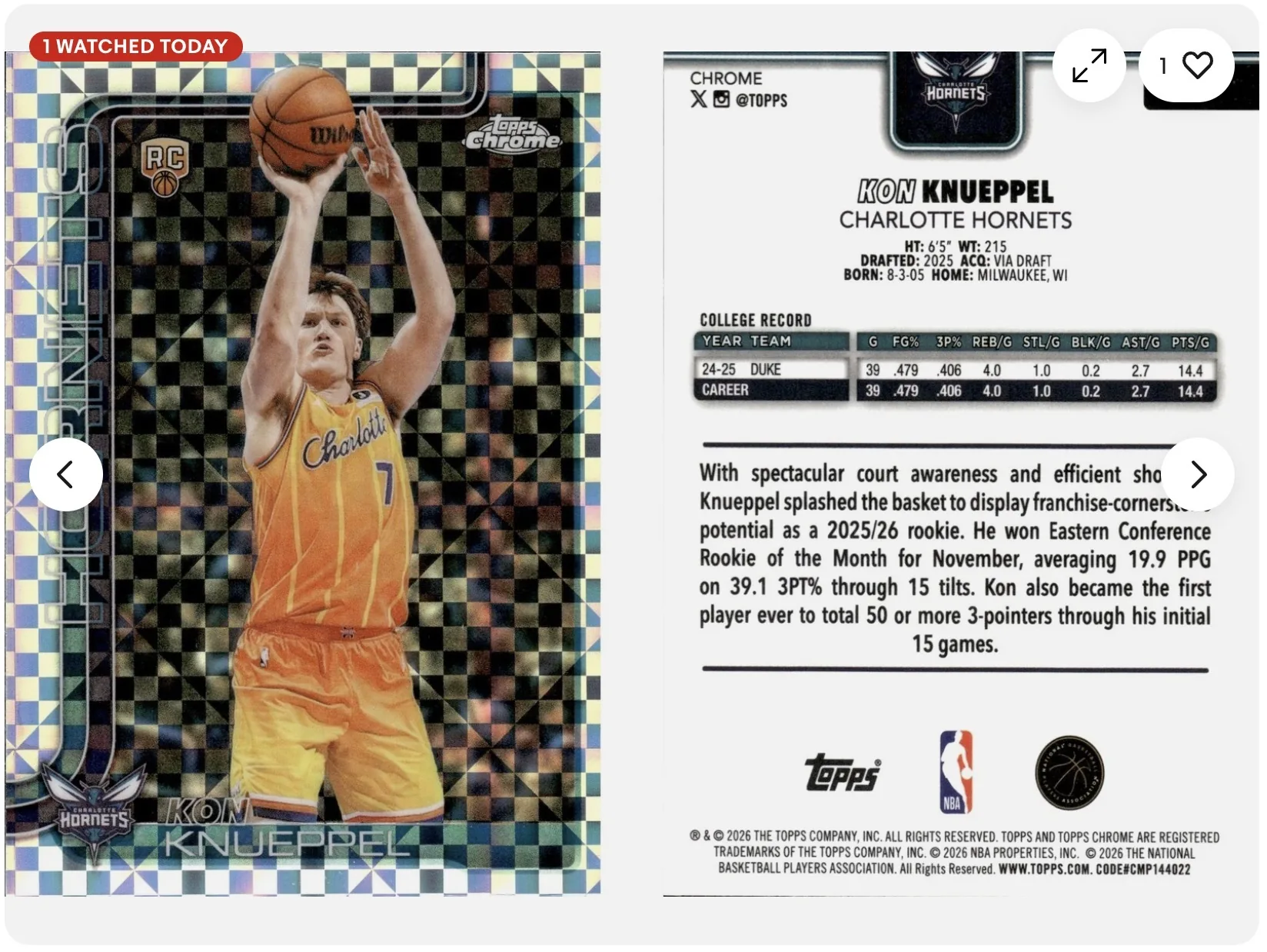
- Front and back, always. The back proves centering and shows the card number and serial stamp.
- Soft, indirect light. Overhead glare on chrome and Prizm cards hides the surface, and it can’t be edited out later: specular reflections destroy the pixels underneath. Light from the side, or shoot near a window.
- Fill the frame. A card photographed from across a desk forces buyers to squint at 20% of the pixels.
Step 4: The title and item specifics
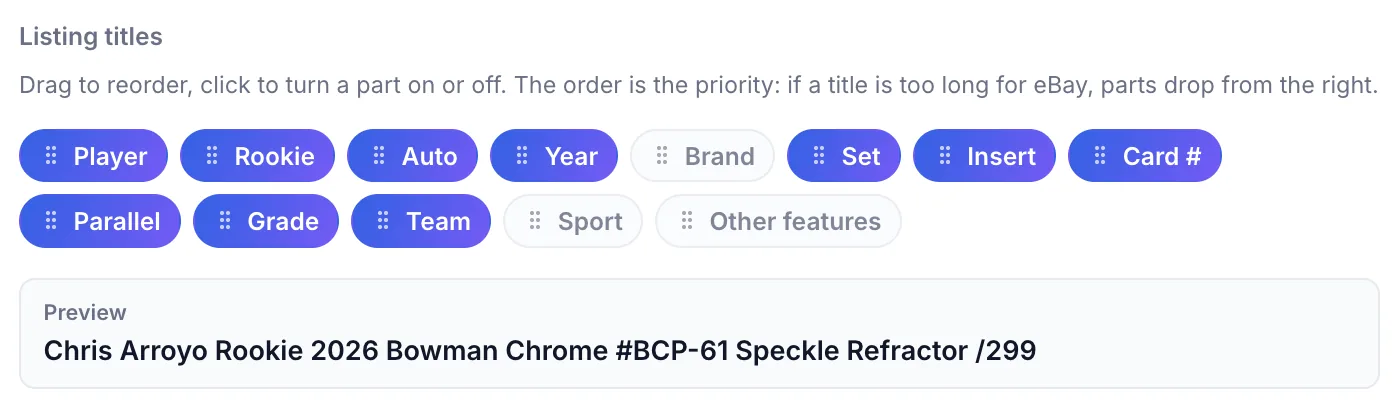
Use eBay’s 80-character title limit for accurate, relevant card details. A useful template is shown below; adjust it to the card. eBay’s Best Match guidance also emphasizes complete item specifics, clear photos and other listing information. A title formula alone does not guarantee placement.
Player + Year + Brand + Card # + Parallel/Insert + Key attribute
Hayden Alvarez 2025 Bowman Chrome #BCP-12 Reptilian Refractor
Aaron Judge 2026 Topps Chrome #50 Gold Refractor /50- Use collector abbreviations: RC (rookie card), Auto, SP/SSP (short print), # for card number.
- Skip filler words (“nice!”, “card”, “hot”): they spend characters buyers never search.
- Then fill every relevant item specific eBay offers. Filters run on item specifics, not your title; an empty “Parallel/Variety” field makes you invisible to filtered searches.
Step 5: Shipping (PWE vs. BMWT)
Choose postage from the actual packed shipment and service eligibility, not price alone.
| Shipment | What to check |
|---|---|
| Eligible cards in a flexible envelope | Check eBay Standard Envelope’s category, value, weight, dimensions and thickness limits. Weigh the packed envelope and confirm the current label price. |
| Cards outside envelope eligibility | Compare an appropriate tracked package service using packed weight, dimensions, destination and any needed coverage. |
eBay Standard Envelope has limited tracking and service-specific protection; it does not provide the same scan history as a tracked parcel. Read our Standard Envelope packing and eligibility guide and verify the current eBay requirements before buying postage.
Sleeve + top loader or team bag either way. A $3 card still deserves a sleeve. A Card Saver or Semi-Rigid with a team bag works well for PWE too.
Publish, and after the sale
This is where MyCardFlow asks for your eBay connection: at publish, not at signup. Review the listing (title, photos, specifics, price, your saved shipping and return policies) and send it live in one step.
After the sale, confirm the order and inventory status in eBay and MyCardFlow. Review any sync warnings and reconcile physical copies before relisting. Inventory synchronization does not make duplicate sales impossible, especially if the same copy is offered elsewhere.
Try MyCardFlow on your next stack of singles, and see the current intro offer on the pricing page.
FAQ
How much does eBay take when I sell a card?
Fees depend on your selling category, account, order and optional services. Check eBay’s current selling fees and use our card fee calculator for an estimate. Include postage, supplies and card cost separately when assessing profit.
Auction or Buy It Now?
Buy It Now with Best Offer for almost everything. Auctions still make sense for genuinely scarce cards (low-numbered parallels, vintage) where two bidders can find each other, but most singles sell to the first buyer searching the exact card, and they search at all hours.
Is it worth listing $1–$2 cards?
Sometimes, depending on demand, costs and your workflow. Compare singles with bulk lots or a You-Pick listing. Calculate expected payout after fees, shipping and supplies rather than applying a fixed minimum card value.
Do I need an eBay Store subscription?
No. Stores reduce fees and add tools at volume, but nothing in this workflow requires one. Revisit when you’re listing hundreds of cards a month. Stores do unlock discounts, dedicated store page, and buyer/follower newsletters to reengage your customers.
How many photos should a listing have?
Two minimum (front and back). Add close-ups of any flaw you disclosed. More photos don’t help a clean base card; they do help a $50 card. If you add a front and a back image, MyCardFlow will automatically create a third composite image of the cards side by side.
Selling a stack instead of one card? Our guide to bulk sports card lot images for eBay shows how to turn multiple cards into cleaner grid and binder-style listing photos.