
LIST & SELL
Create & manage eBay You-Pick listings
Create eBay You-Pick card listings with MyCardFlow. Set prices and quantities, review duplicates, restock cards and sync sold stock for fulfillment.
You-Pick listings
Create one eBay listing with individual card choices, each with its own price and available quantity.
- Choose You-Pick, select your photo mode, and add and identify your cards.
- Review each pick’s identity, parallel, price, and location. Matching duplicate copies are grouped as additional quantity.
- Check the shared listing title, shipping, and Store category for the whole listing. Every pick needs a price, and cards need storage locations so you can find sold copies.
- Publish the listing. Return through My Listings to manage it, add cards, or check what needs to ship.
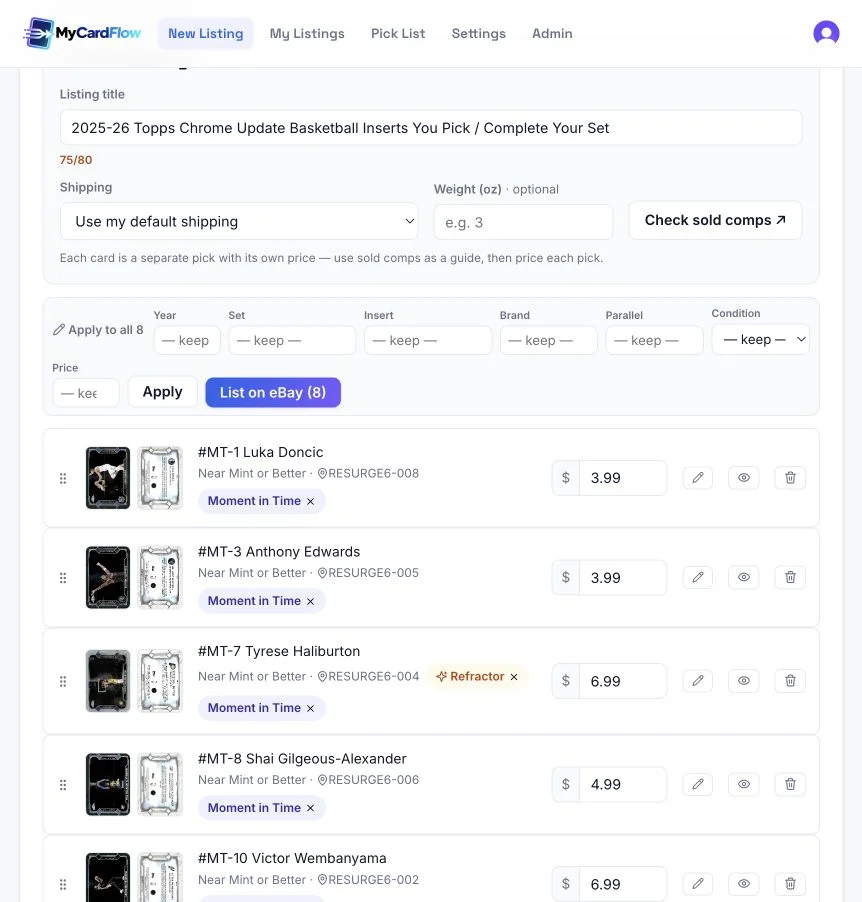
Can I set one price across the picks?
Yes. Enter a price in Apply to all. If cards already have prices, choose whether to fill only blank prices or replace existing prices too.
How do duplicates work?
Copies with matching card identity and parallel can become one pick with extra quantity. Review the grouping and individual copy locations before publishing.
Can I accept offers on a You-Pick?
The Accept offers default does not apply to You-Pick listings. Set the price for each pick instead.
Before publishing, review shipping policy setup and check the policy selected for the shared listing.
Managing listings & restocking
Use My Listings to find batches and published listings. Open a You-Pick’s management page for stock, pricing, and fulfillment.
- Open My Listings and use the listing-type and status filters to find your work.
- For a You-Pick, open Manage. Use Add cards to add new choices or restock matching copies; review the additions before submitting them.
- Use Sync & ship list to refresh sold quantities and see cards to pull. The management page also attempts to sync when you open a live listing.
- To change You-Pick prices, edit them or apply a percentage adjustment, then use Save & update eBay.
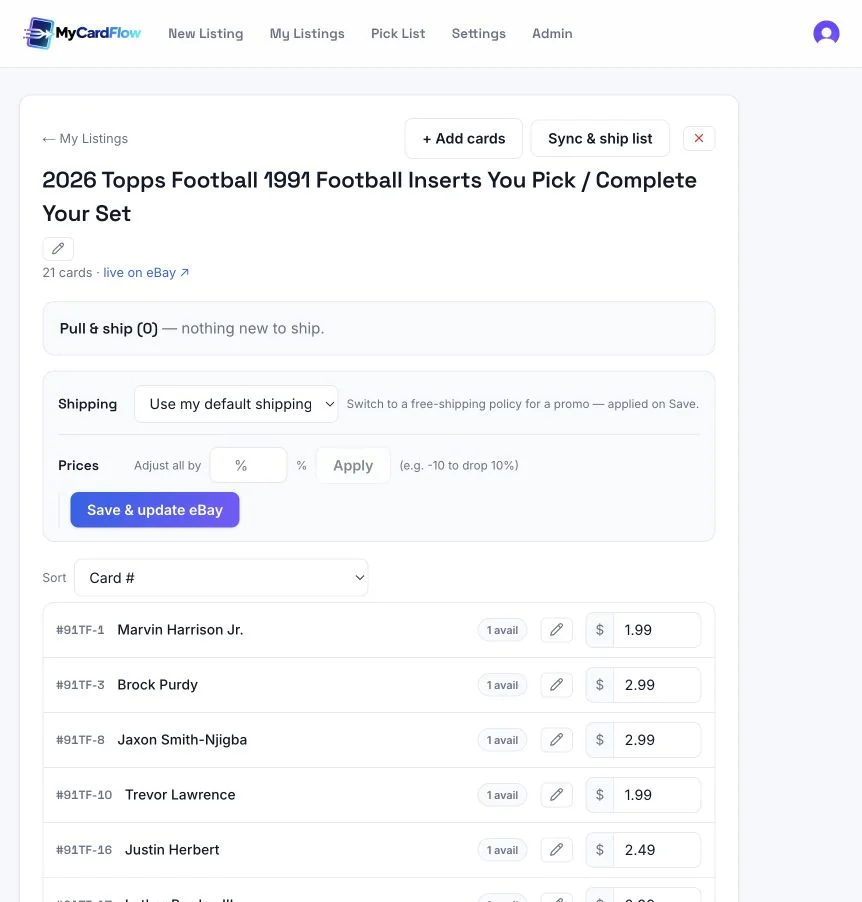
Why doesn’t my stock look current?
Run Sync & ship list and check for an error. A failed or delayed sync can leave local counts out of date. Review the current eBay listing if the quantities still disagree.
What is a card location?
It is your storage reference, such as BOX3A. Numbered card locations help you find individual copies. A lot location identifies where the entire lot is stored.
If publishing reports missing fields or a policy error, follow the eBay listing troubleshooting guide and read the specific error before retrying.